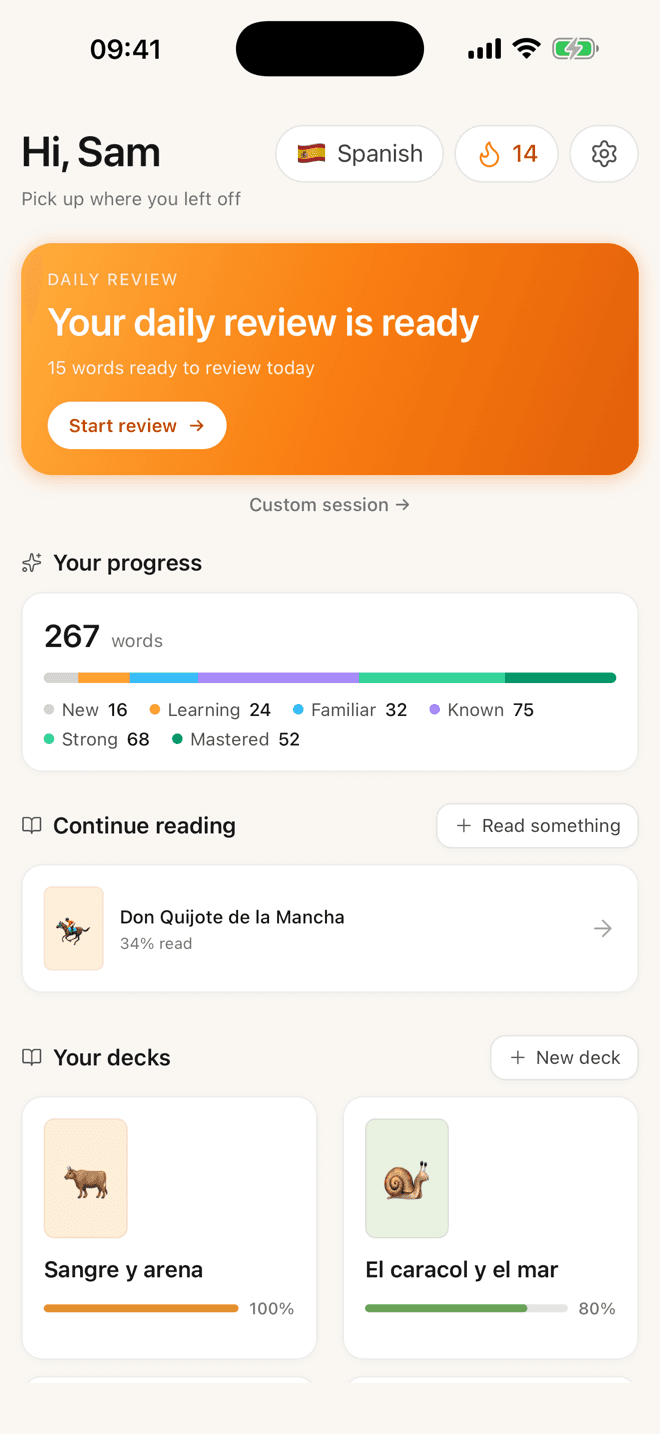
Features
The whole loop, in one app.
Below is what ships in Lemnly today, in real screenshots from the build on the App Store. No roadmap-as-marketing — if it’s on this page, it’s in the app.
The reader
Tap a word. Keep reading.
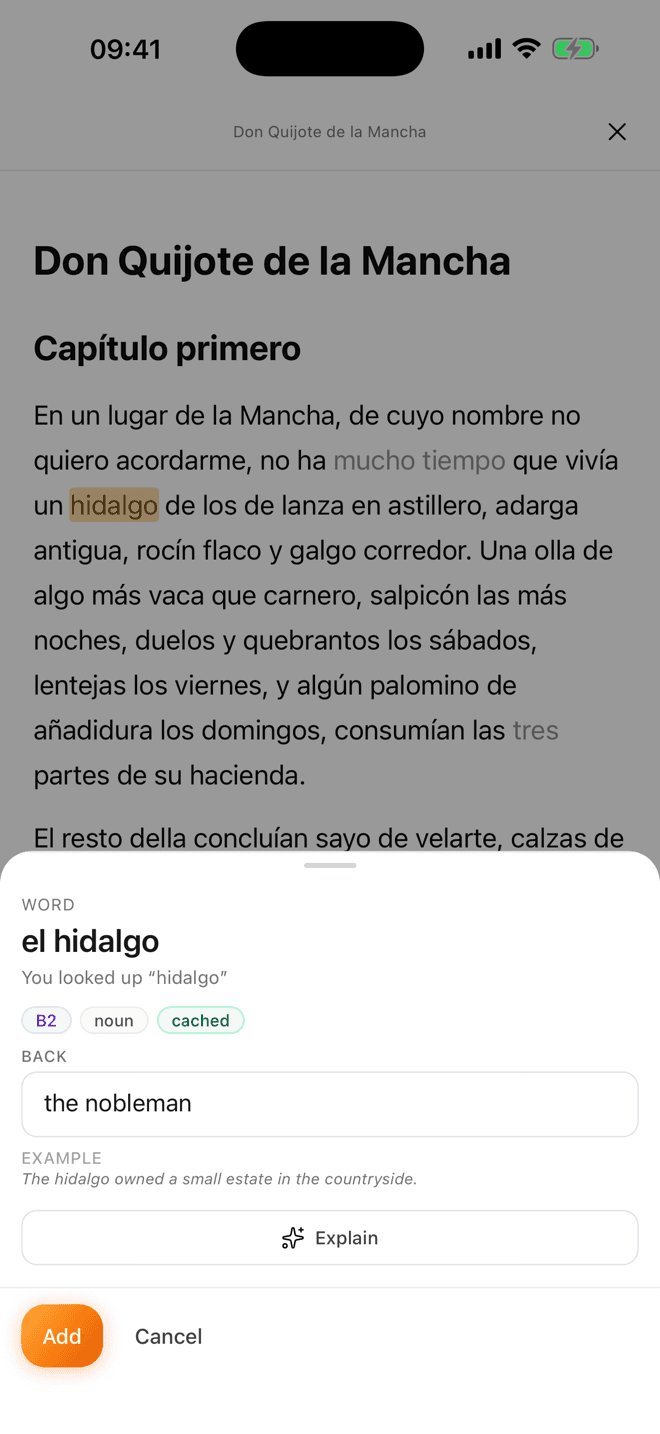
The centre of the app. A page of text, nothing else on it. Tap a word you don’t know and a card slides up with the translation, the part of speech, a CEFR level and an example sentence — then it closes behind you and the page is where you left it.
- Explain, when translation isn’t enoughOne tap unpacks the grammar of that word in that sentence — the reflexive, the subjunctive, the idiom that isn’t the sum of its parts.
- Known words step backWords already in your deck are marked in the text, so your eye is drawn to what’s genuinely new rather than re-reading what you own.
- It remembers the pageClose it mid-chapter, come back three days later, land on the same paragraph. Light or dark, whichever you read in.
Something to read
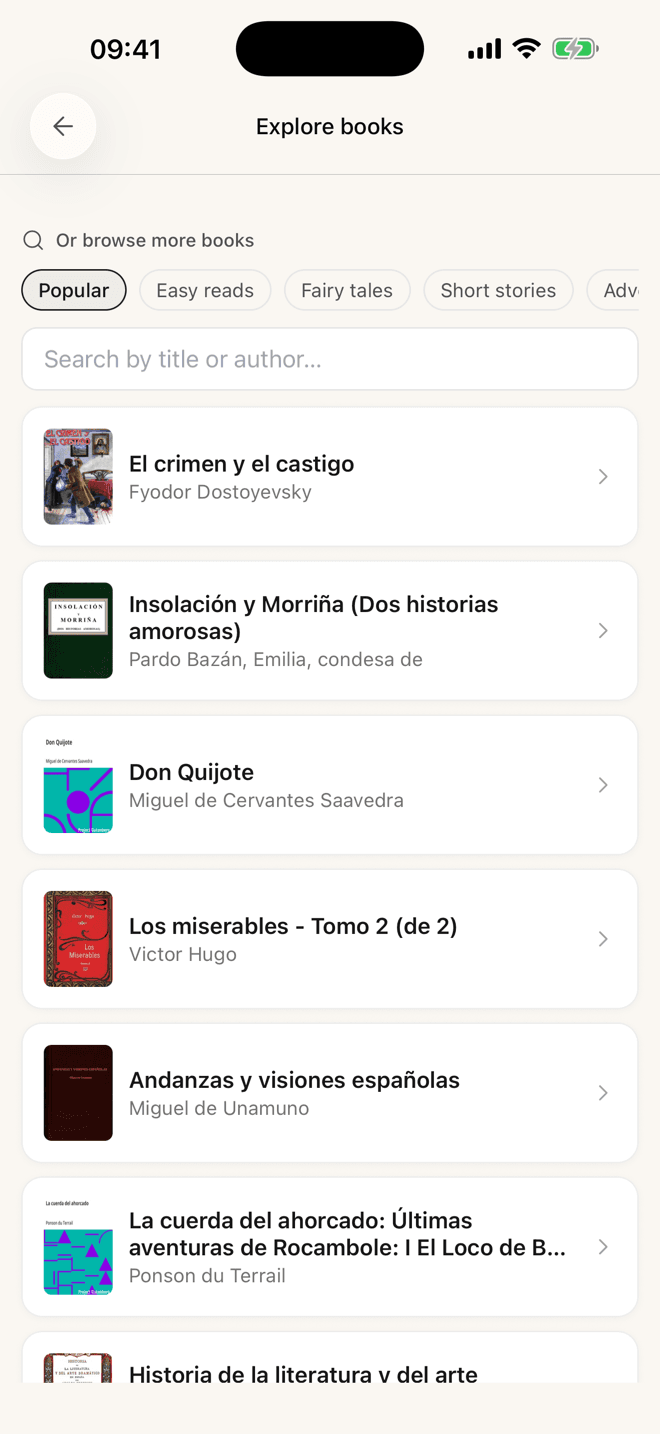
Graded stories and free classics, built in
Original short reads written for each level — A1 starter, A2 easy, and up through B2 — so you can pick something you’ll actually finish tonight. Under them sits a shelf of public-domain classics: browse by category, or search the Project Gutenberg catalogue in the language you’re learning.
Bring your own
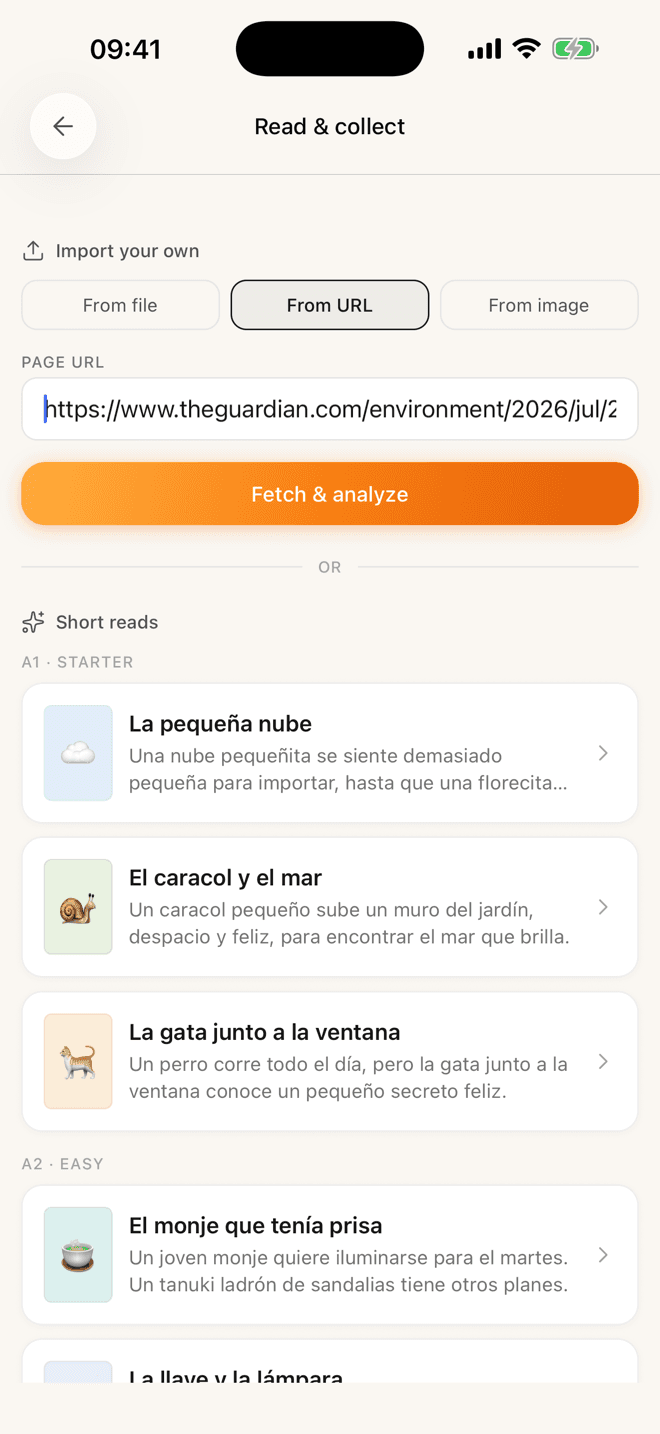
Any article, any file, any page
Paste a URL and Lemnly fetches the page and strips the clutter. Pick an EPUB, PDF, DOCX, TXT or Markdown file from your phone. Or photograph a printed page and read that. Whatever the source, it opens in the same reader with the same tap-to-translate underneath — you only ever learn one workflow.
The review side
Six ways to study, one scheduler
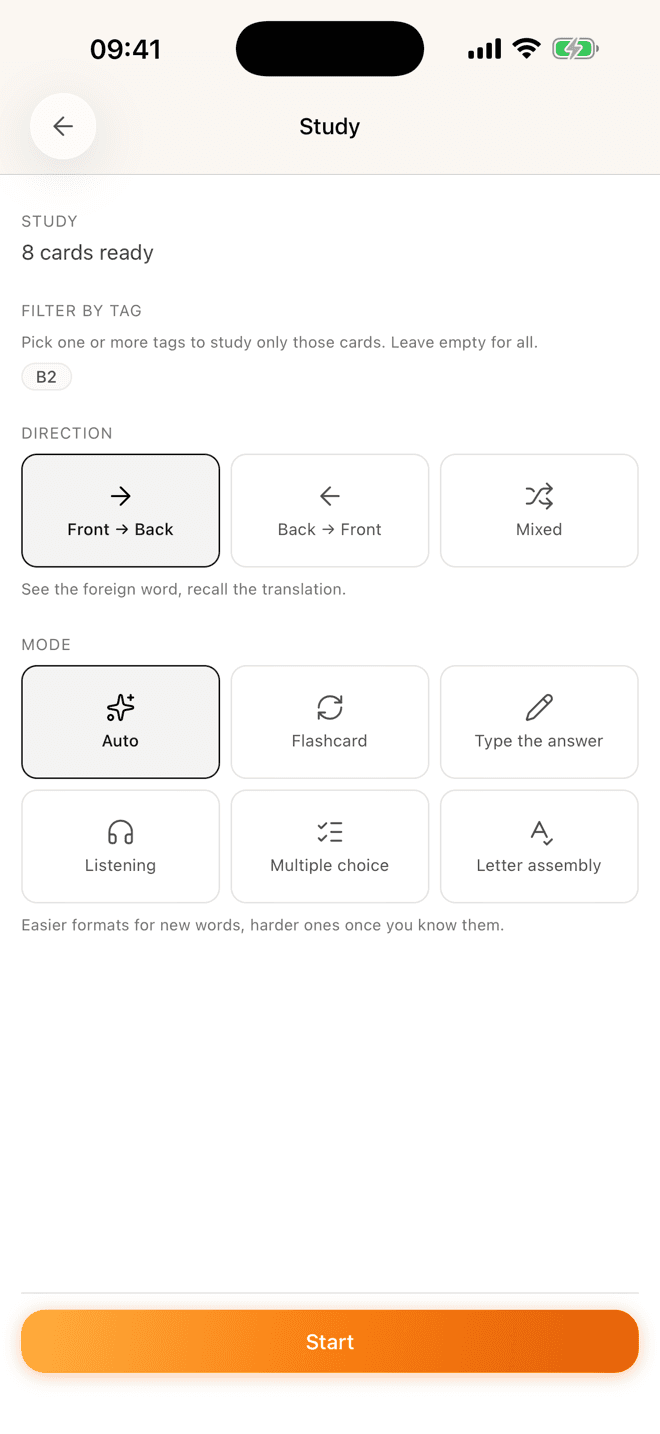
Auto adapts the format to how well you know a word — multiple choice while it’s new, typing it from memory once it’s solid. Or pin a single mode: flashcard, typing, listening, multiple choice or letter assembly. Filter a session by tag, and pick which direction you want to practise.
- FSRS schedulingA modern spaced-repetition algorithm that predicts when a word is about to slip, and shows it then — fewer reviews for the same retention.
- Forward and reverse, separatelyEach card keeps its own schedule in each direction, because recognising a word and producing it are genuinely different skills.
- Grade honestlyAgain, Hard, Good, Easy. That’s the whole input the scheduler needs from you.
Progress
Numbers that mean something
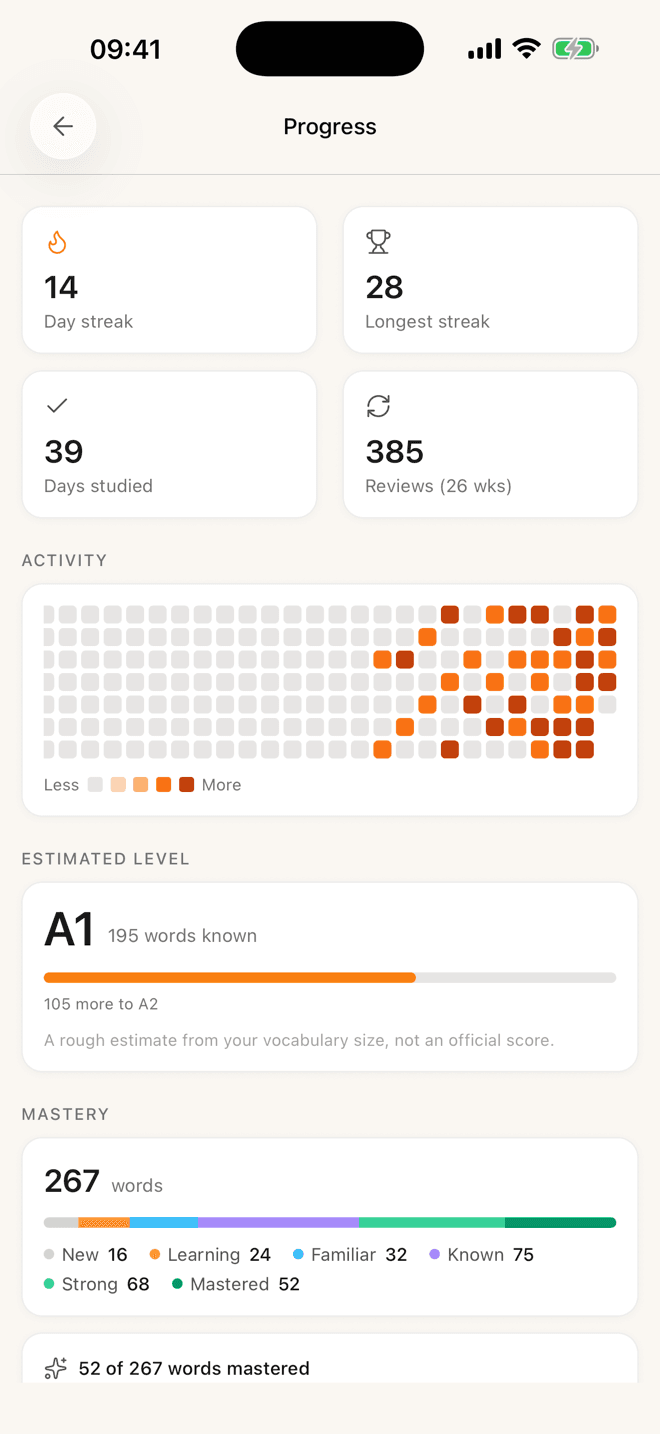
An estimated CEFR level derived from the size of your known-word set, with the distance to the next one spelled out. Six mastery buckets you can watch words move rightward through. Half a year of activity on one heatmap. The app tells you plainly that the level is an estimate, not an official score.
Words you heard
Speak a word in
Not everything you need to learn arrives on a page. Heard a word in a conversation or a podcast? Say it, and it lands in your add queue with the translation filled in, ready to batch at the end of the day.
- agoreroominous
- cotidianodaily
- fugazfleeting
Other people’s work
Public decks you can subscribe to
Someone has probably already built the frequency list or book vocabulary you need. Subscribe and their cards land in your library, scheduled like your own — and when the author improves a card, your copy updates. Edit anything and that card quietly becomes yours.
Make it stick
Mnemonic images
Some words refuse to stay. Attach an image — your own photo or a generated one — and the next review has something to hang on.
The small stuff
Little things that add up.
- Same account in any browser
- App in English, German and Spanish
- Tags and notes on every card
- Shared vocabulary cache
- Multiple decks per language
- Deck covers and emoji icons
FAQ
Questions, answered honestly.

A chapter tonight.
The words still there next week.
Free. Pick a story at your level, tap the words you don’t know, and let Lemnly bring them back at the right time.
No credit card · Spanish, German and English today