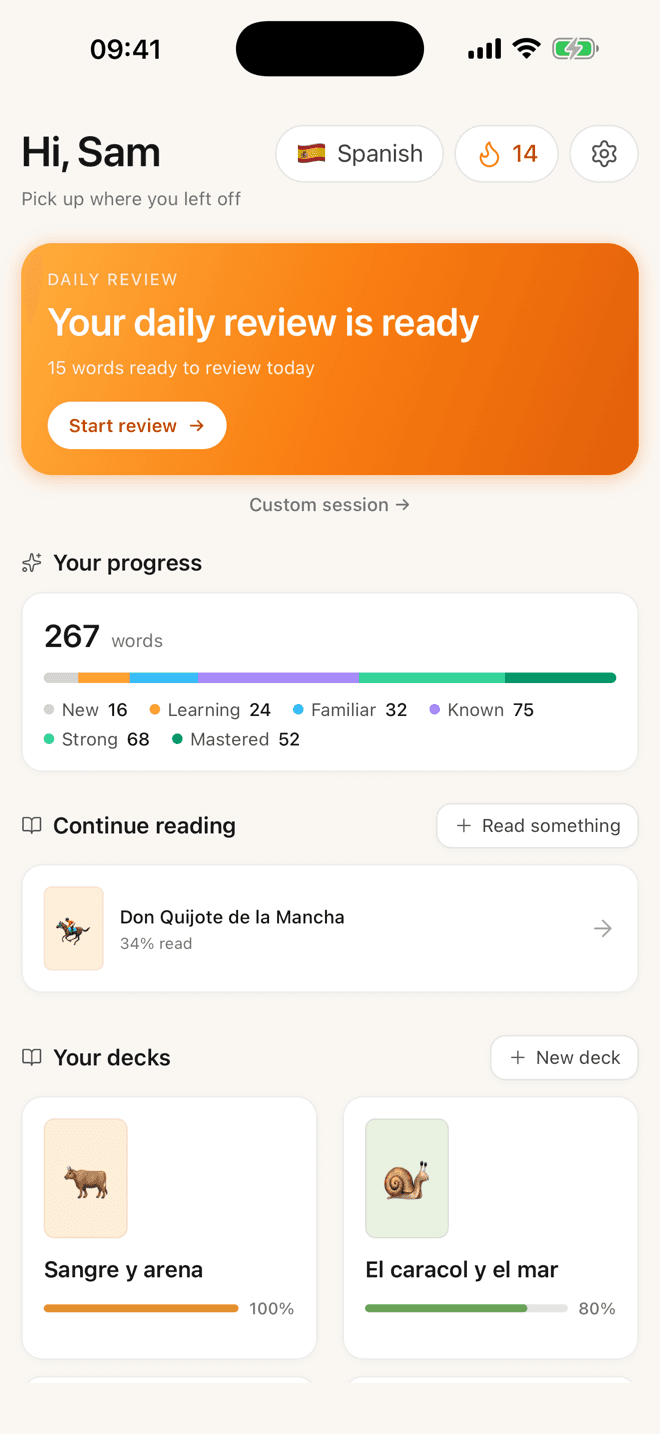
Start with one short story. Keep every word.
Lemnly opens on something short enough to actually finish — a graded story, about a page, at your level. Tap a word you don’t know and you get the translation, the grammar, and a flashcard scheduled to your memory. Five minutes tomorrow and the words are still yours. Bring your own book when you want it.
Free · No leagues, hearts or streak-guilt · Spanish, German and English today
Prefer a bigger screen? Lemnly also runs in your browser.
The daily unit
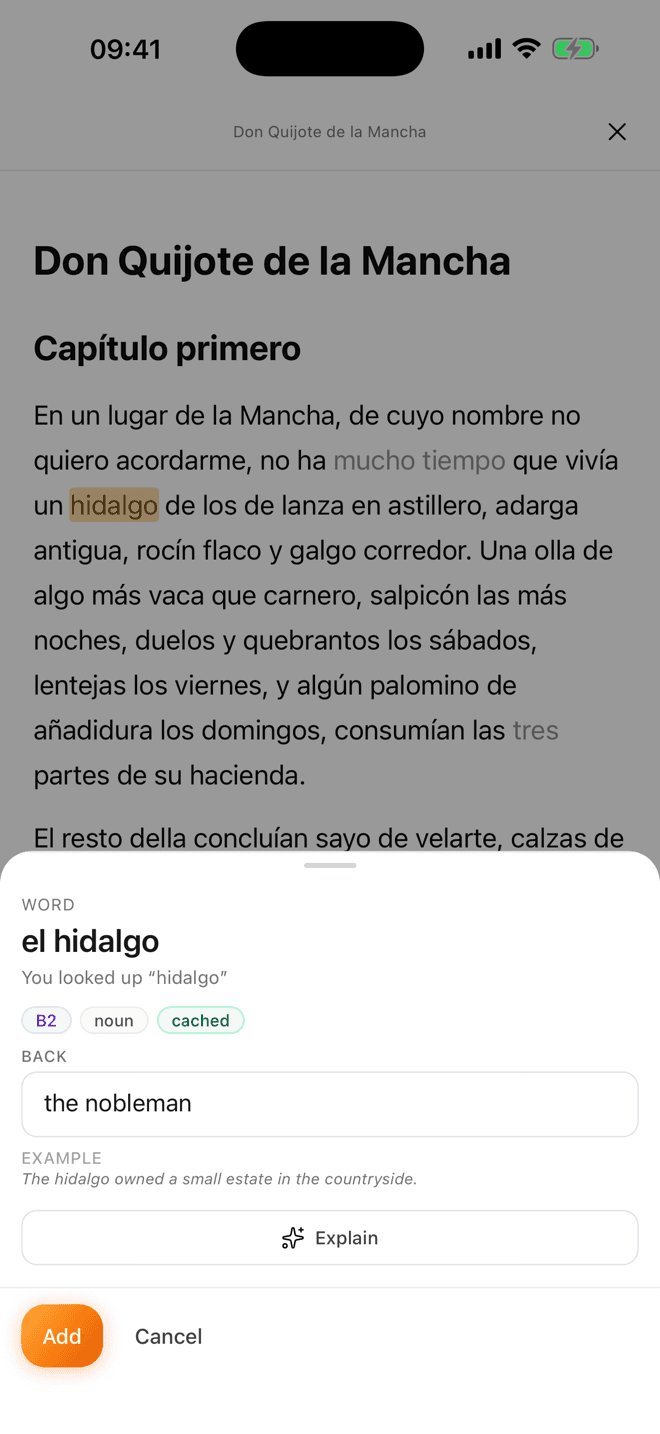
Small enough that you actually do it.
Most reading apps hand you a novel and a dictionary and wish you luck. That works for about a week. Lemnly is built around a unit you can finish on a Tuesday night with ten minutes and no momentum.
- 1
A page, not a book.
The graded stories run about one phone page — A1 to B2, written to be finished in a sitting. That’s the difference between “I’ll start tomorrow” and actually reading something tonight.
- 2
Six or eight words worth keeping.
Each story sits just above your level on purpose. The handful of words you don’t know are the ones worth collecting — tap them as you go and keep reading.
- 3
Lock them in before you close the app.
Finish the story and the words you tapped come straight back as a short recall pass. The session ends with them already half-learned, not sitting in a pile for later.
When a page stops being enough, the whole library is right there — free classics, your own EPUB, any article you paste in.
The loop
Read. Tap. Remember.
Most tools give you one piece of this. A reader that doesn’t remember, or a flashcard app with nothing to read. Lemnly is the whole circle, on the device you actually read on.
- 1Read
Open something you can finish.
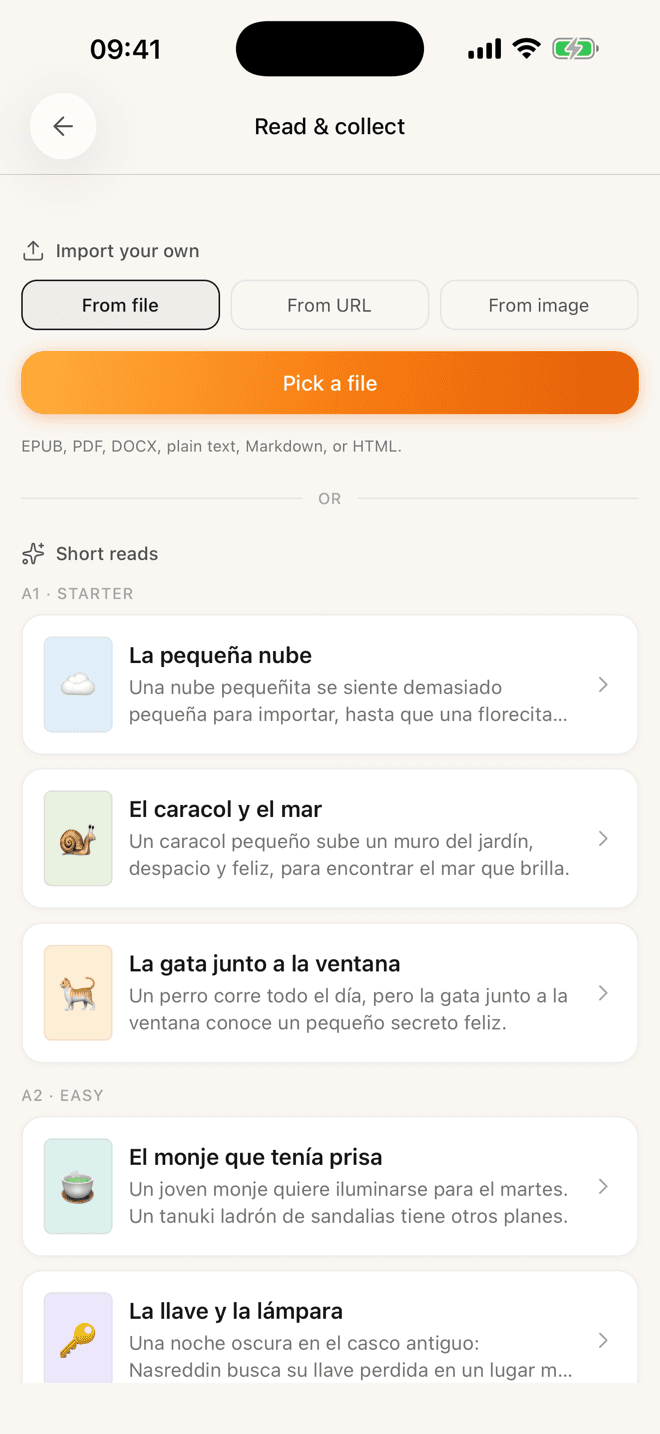
A graded short story at your level — about a page. Free classics and anything you paste in are there too, for when a page stops being enough.
- 2Tap
Tap a word you don’t know.
The translation slides up with the part of speech, a CEFR level and an example. One more tap explains the grammar. Add it and keep reading.
- 3
 Remember
It comes back when you’d forget it.
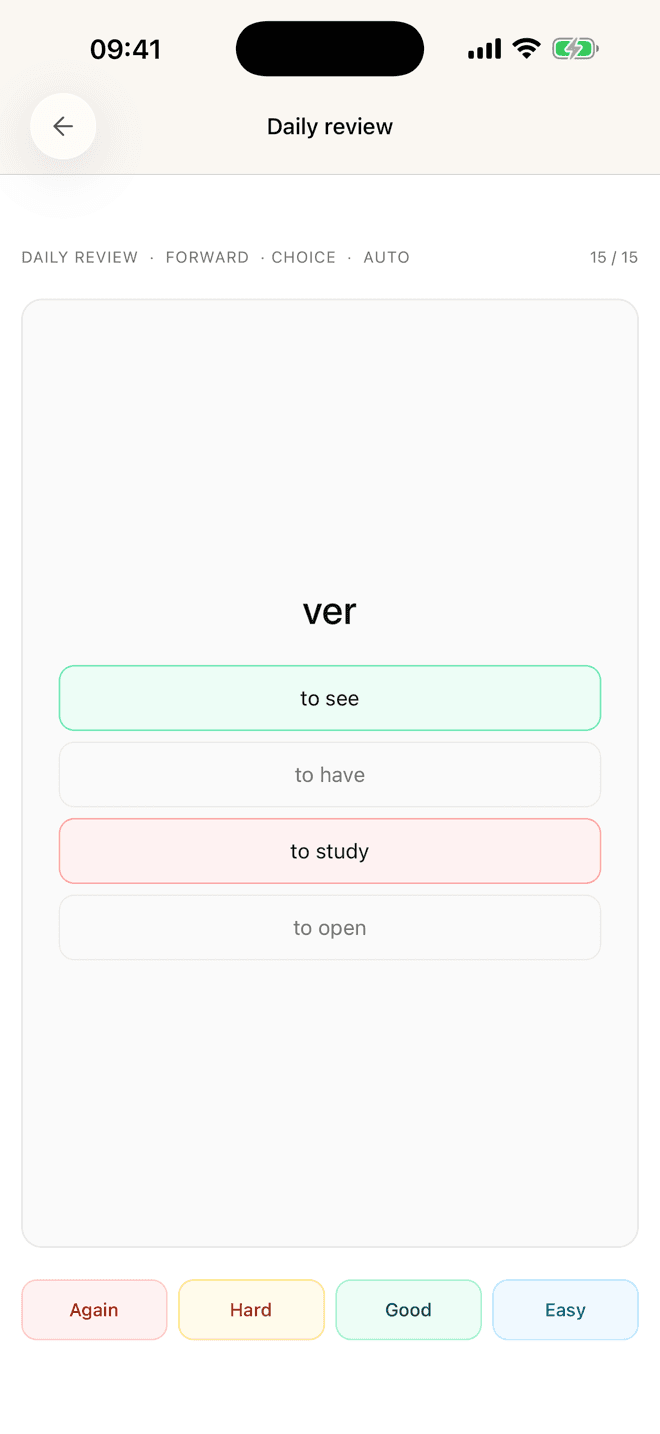
Every word you collected flows into an FSRS review queue. Five minutes the next morning, scheduled to your memory — not to a streak.
Then it starts again. Tomorrow’s reading is easier because yesterday’s words stuck — and the words you already own fade into the background of the page so your eye goes straight to the new ones.
Something to read
You’re never staring at an empty import box.
A reader is only as good as what’s in it. Lemnly ships with a graded library you can start on tonight — and takes whatever you were already reading.
Start with the library
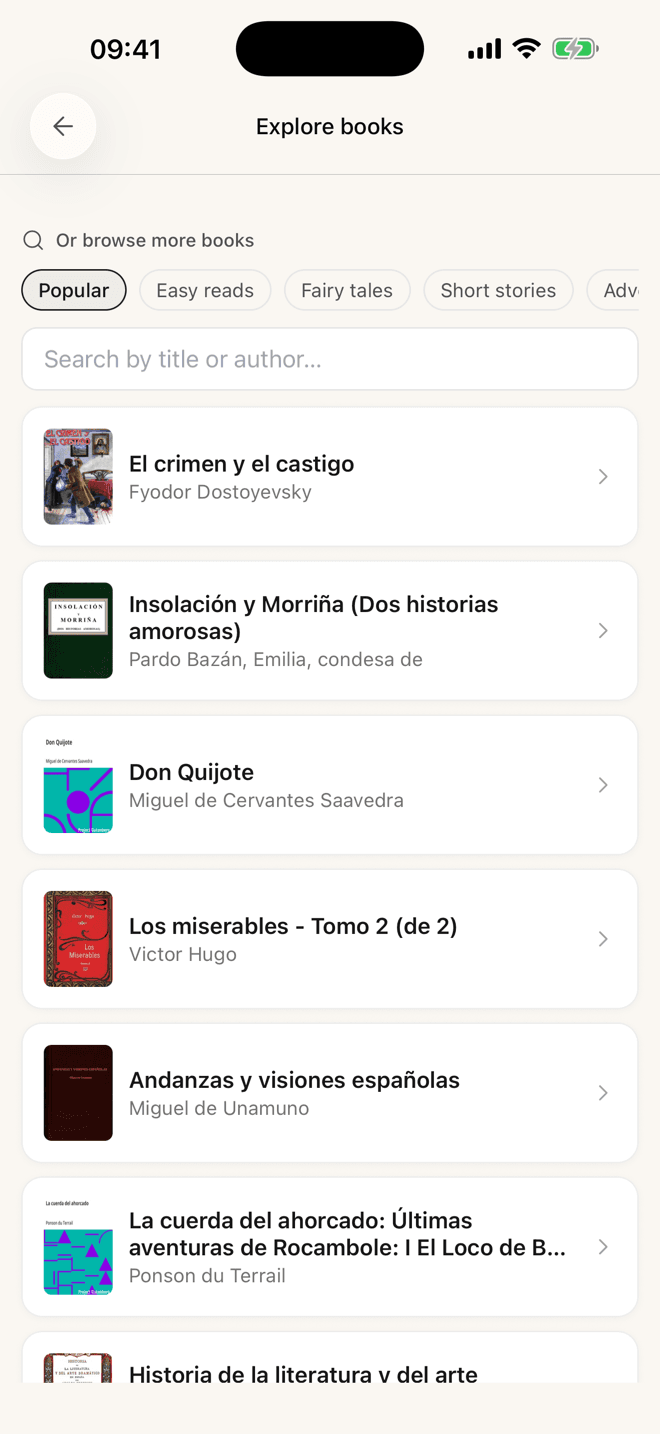
Original short reads written for each CEFR level, so an A2 reader gets an A2 story — not a novel with the difficulty sanded off. Underneath them sits a catalogue of free classics in your target language.
- A1 · StarterLa pequeña nube
- A2 · EasyEl monje que tenía prisa
- B1–B2Longer short stories
Or bring your own
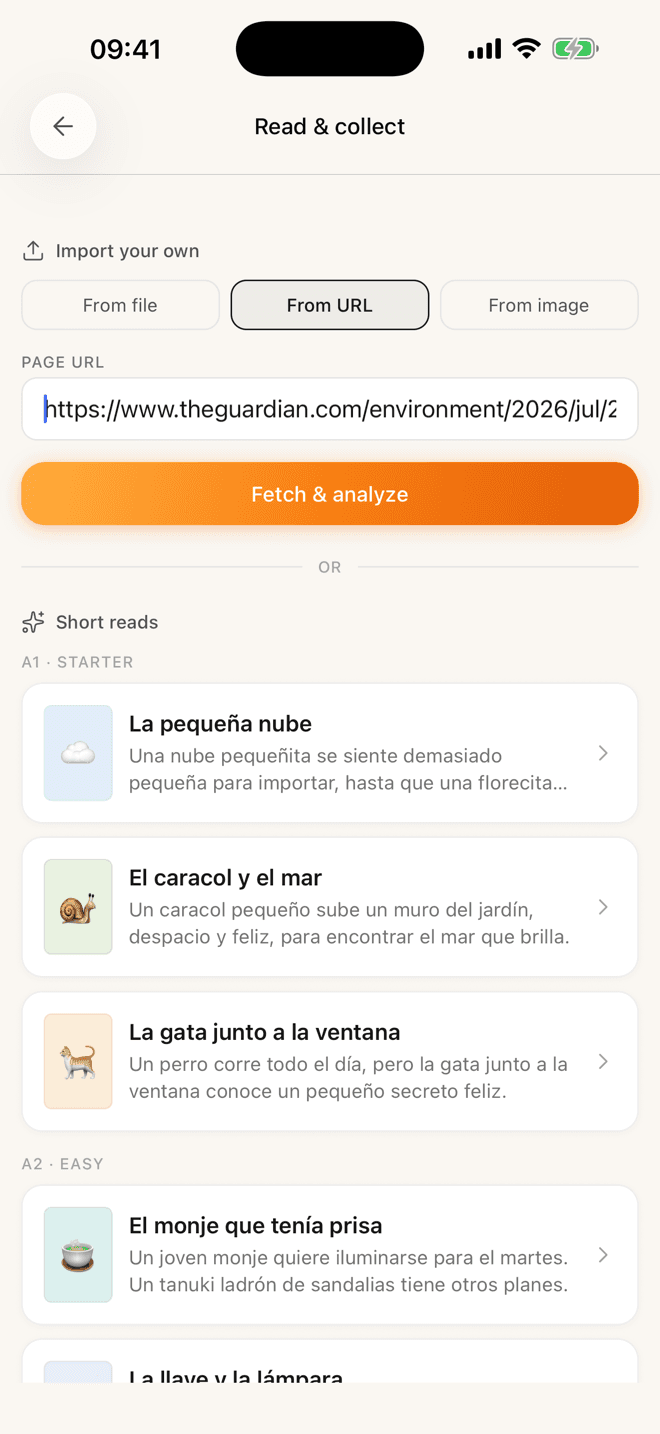
The news story a friend sent you. The novel sitting in your downloads. A page of a paperback you photograph at the café. Lemnly pulls out the readable text and opens it in the same reader, with the same tap-to-translate.
- Any web articlepaste the link
- EPUB · PDF · DOCX · TXTpick a file
- A photo of a pagepoint the camera
The review side
A scheduler that answers to your memory.
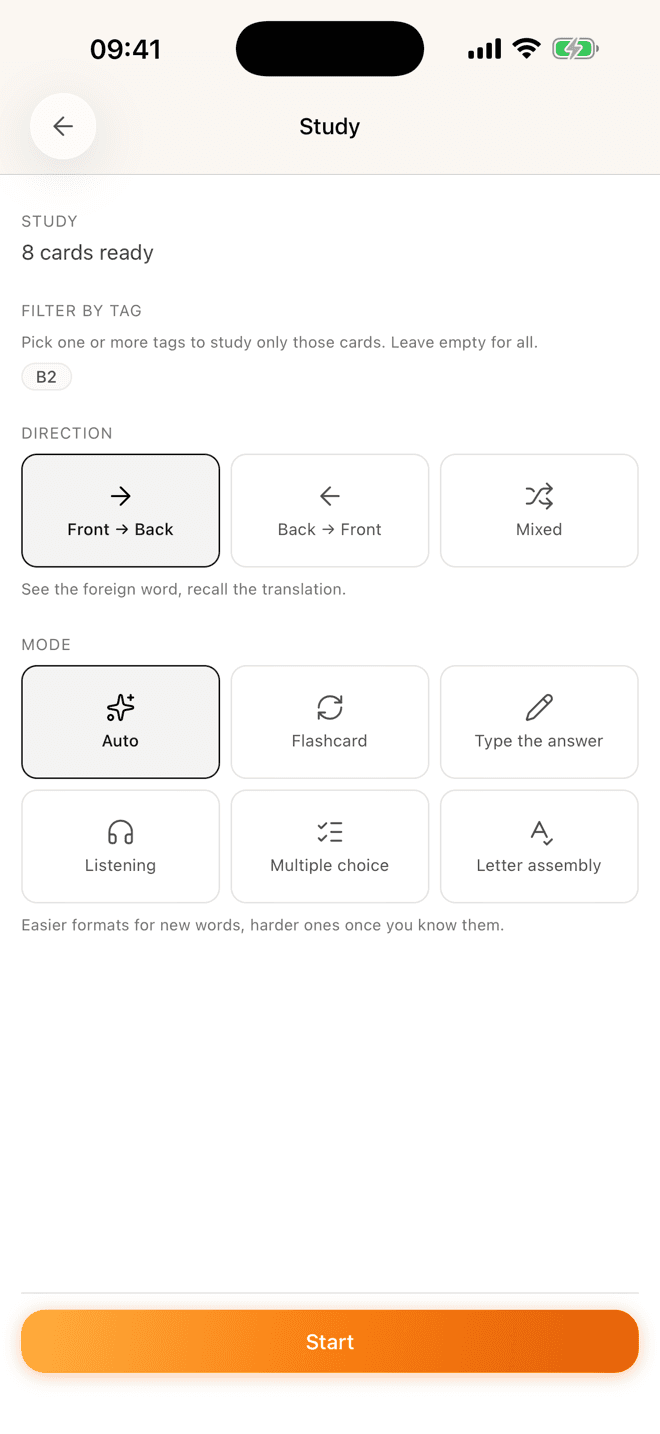
Lemnly schedules with FSRS — the same modern algorithm serious Anki users switch to. It predicts when each word is about to slip and shows it then. Not every day, not on a fixed ladder.
- Fewer reviews, same retentionThe queue is whatever sits at the edge of your memory today. On a normal morning that’s ten or fifteen words, not a wall of them.
- Both directions, scheduled separatelyRecognising “hidalgo” and producing it are different skills, so each card carries its own forward and reverse schedule. Study one direction, the other, or mixed.
- Easy formats first, harder ones once it sticksAuto mode starts a new word as multiple choice and works up to typing it from memory. You can also pin a single mode for the whole session.
Progress
Watch your reading vocabulary actually grow.
Not points. Not gems. The two numbers that mean something: how many words you can read without stopping, and how solidly you hold them.
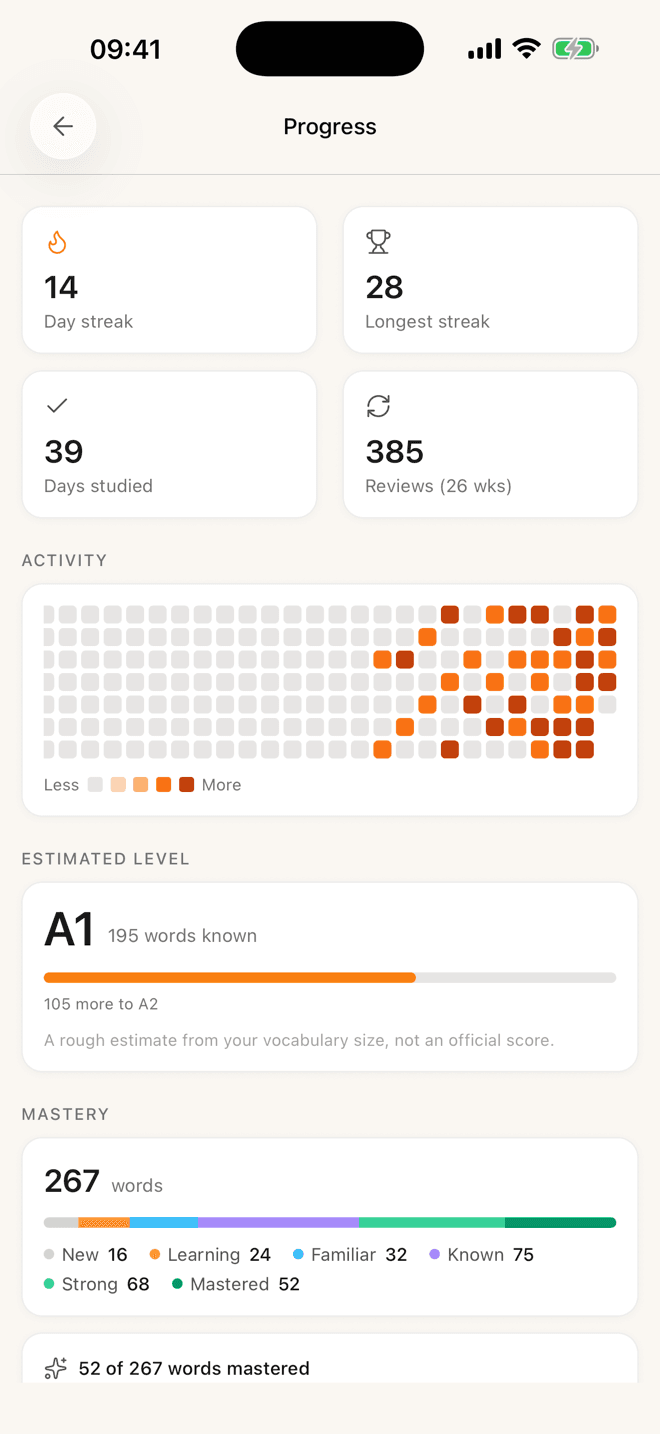
- An estimated CEFR levelDerived from the size of your known-word set, with the gap to the next level spelled out — “105 more to A2”. The app says out loud that it’s a rough estimate, not an official score, because it is.
- Six mastery buckets, not one barNew, Learning, Familiar, Known, Strong, Mastered. You can see the words moving rightward over weeks, which is the part that keeps you going.
- A calendar you can read at a glanceHalf a year of activity on one heatmap, plus your current and longest streak. It’s a record of what you did — not a debt you owe.

The honest part
No leagues. No guilt.
Just progress.
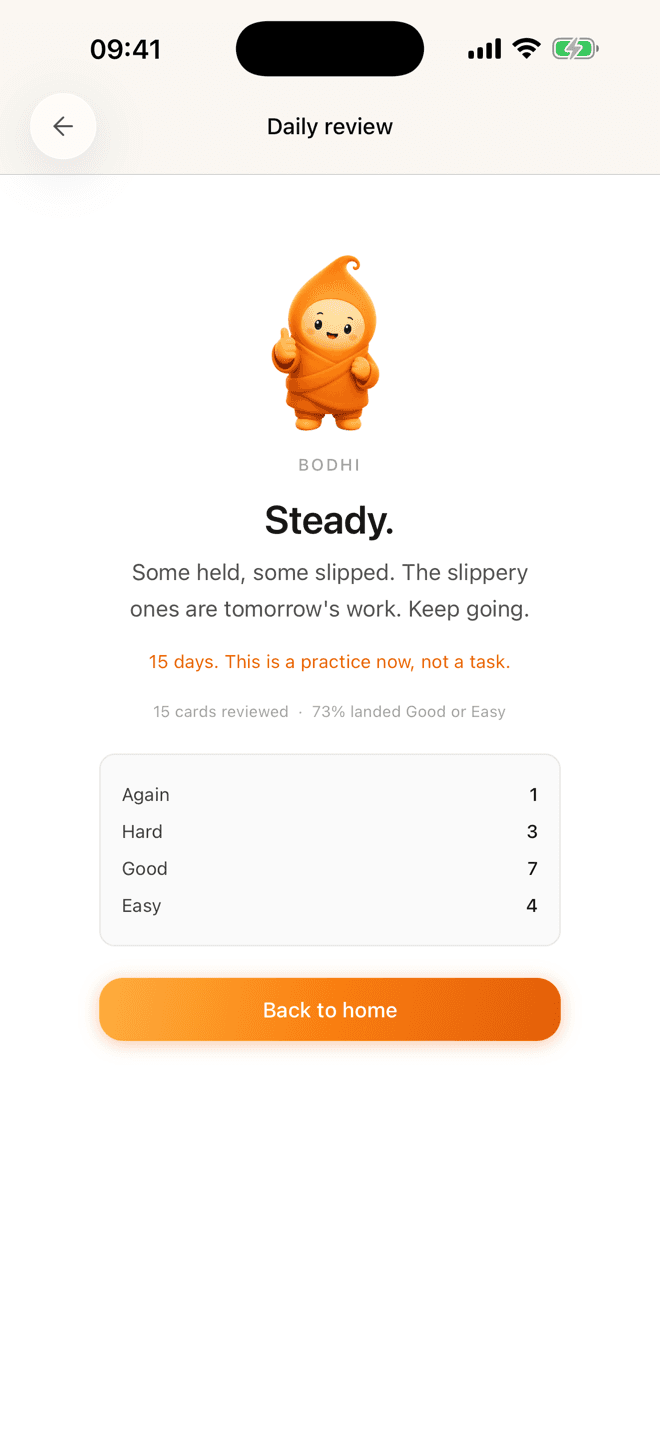
Lemnly doesn’t try to make you feel something. Bodhi tells you what actually happened in the session — which words held, which slipped, what tomorrow looks like — and then gets out of the way. Real competence beats a manufactured feeling of it.
- No leagues or leaderboards
- No hearts to run out of
- No gems, no shop, no ads
- No “you lost your streak” push at 11pm
- No character shaming you for missing a day
There is a streak counter, because it’s genuinely useful to see a run of good days. It just isn’t a stick.
Why people switch
The reading loop, without the clutter.
LingQ and Readlang got the method right years ago. Lemnly’s bet is that the method deserves a calmer room — and a phone.
One screen at a time
A page of text and the word you tapped. No lesson chrome, no settings to master first, nothing competing for the tap.
Built for the phone you read on
A native app that opens instantly, keeps your page, and works on the sofa and the train — not a website in a home-screen shortcut.
Free, and your words stay yours
No 20-word ceiling, no daily allowance, no card. Nothing you have saved gets locked behind a plan change.
Swipe the table sideways to see all three columns →
| Feature | Lemnly | LingQ | Readlang |
|---|---|---|---|
| Everything free, with no cap on saved words | no caps, no card | 20 words, then paid | daily caps, then $6/mo |
| Native iPhone app | iPhone + iPad | iOS + Android | home-screen install |
| Unlimited grammar explanations in context | unlimited, free | 10/day free | |
| FSRS — the modern spaced-repetition scheduler | FSRS, both directions | own algorithm | own algorithm |
| Read a printed page with your camera | photo → text | text imports only | text imports only |
| Practice a word more than one way | 6 modes | review activities | flashcards |
| Graded original stories by CEFR level | A1–B2 short reads | large lesson library | shared user library |
| Import any web article, book or file | |||
| Read in place on any website | no extension yet | importer extension | extension + bookmarklet |
| Languages offered | 3 today, more coming | 50+ | dozens |
Competitor details checked against their own websites, July 2026.
The full comparison, including when to pick themWhat’s in the app today
Everything on this page is shipping.
No roadmap dressed up as features. If it’s listed here, it’s in the build you can install — and if something you need is missing, it’s missing, not hidden.
Tap-to-translate reader
Tap any word for the translation, part of speech, CEFR level and an example sentence. Add it and carry on reading — the card closes behind you.
One-tap grammar explanation
When the translation isn’t enough — a reflexive verb, a subjunctive, an idiom — “Explain” unpacks what the word is doing in that sentence.
Graded short reads, A1 to B2
Original stories written for each level, so you get input you can actually follow instead of a novel you have to fight through.
Free classics, searchable
Don Quijote, Crimen y castigo, Los miserables — browse by category or search the whole Project Gutenberg catalogue in your target language.
Import any web article
Paste the link. Lemnly fetches the page, strips the clutter, and opens it in the same reader with the same tap-to-translate.
Files and photos too
EPUB, PDF, DOCX, plain text and Markdown from your phone — or point the camera at a paper page and read that.
FSRS scheduling, both directions
A modern spaced-repetition scheduler with separate forward and reverse state per card, because recognising a word and producing it are different skills.
Six ways to study
Auto, flashcard, typing, listening, multiple choice, letter assembly. Auto starts new words easy and works up as they stick.
Listening mode
Hear the word, pick or type the translation. Trains the half of vocabulary that reading alone doesn’t.
Add words you heard
Say a word out loud and it lands in your add queue with the translation filled in. For the ones that come out of conversations, not pages.
Mnemonic images
Some words won’t stay. Attach a picture — your own or generated — and the next review has a hook to hang on.
Shared and public decks
Subscribe to someone else’s deck and it updates when they improve it. Edit a card and it quietly becomes yours.
Same account in the browser
Lemnly also runs on the web, so a chapter you read on the sofa is where you left it when you open a laptop.
Light and dark, and it stays put
Reading at night shouldn’t be a fight. Close the app mid-chapter and it reopens on exactly the page you left.

You’re early
Small enough that you can steer it.
Lemnly is built by one person who uses it every morning. There’s no support queue between you and the person writing the code — if you ask for something and it’s a good idea, it tends to show up.
Tell me what to build
A language you need, a format that won’t import, something that annoyed you on page three. Every message is read by me, usually the same day.
hello@sooties.comWhat’s next
- French, Italian and Portuguesenext up
- More space-separated languages after thatsteady drip
- Scripts without spaces — Japanese, Chinesebigger job
- An Android appafter iOS settles
- Browser extension for reading in placeon the list
- Export your whole libraryon the list
- A level-graded reading feedan idea, not scheduled
No dates on purpose. One person ships when it’s ready, and the order moves when enough people ask for something.
Just shipped
- The iPhone and iPad app
- Auto study mode — easy formats first, harder ones as a word sticks
- A reader that reopens exactly where you stopped
- Languages: Spanish, German, English — more coming
- Platform: iPhone & iPad · any browser
- Price: Free
- Team: One person
FAQ
Questions, answered honestly.

A chapter tonight.
The words still there next week.
Free. Pick a story at your level, tap the words you don’t know, and let Lemnly bring them back at the right time.
No credit card · Spanish, German and English today